HTML igre
3. Kontroleri
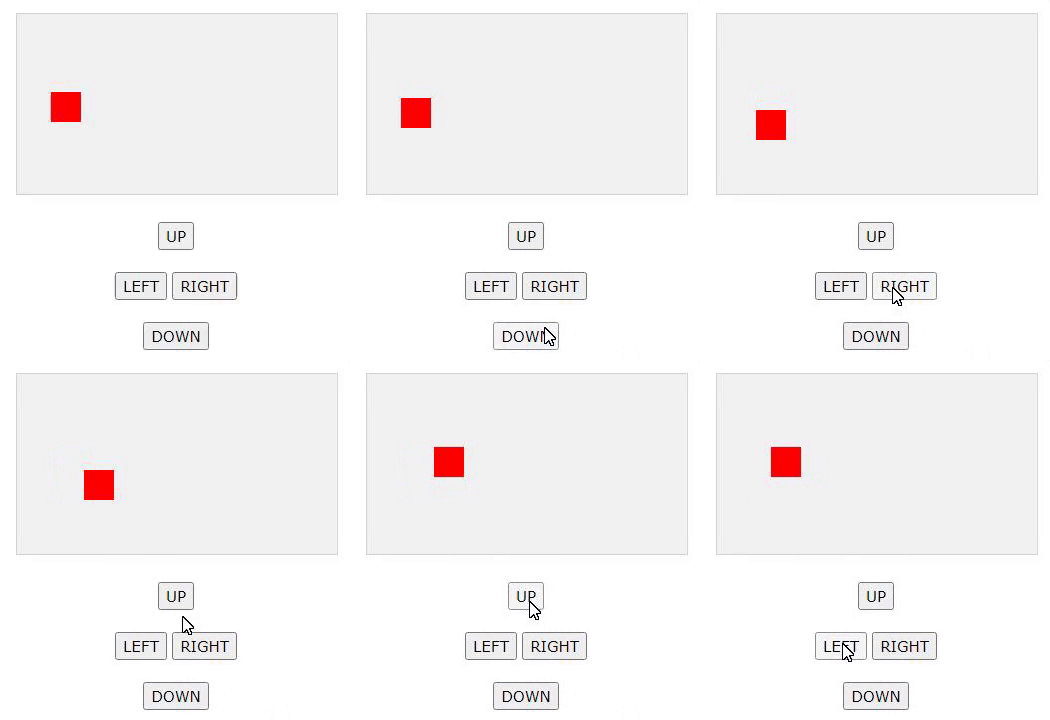
Sada želimo kontrolirati crveni kvadrat. Dodajemo četiri gumba, gore, dolje, lijevo i desno.
Pravimo dva nova svojstva u component konstruktoru koje nazovemo speedX i speedY. Ta se svojstva koriste kao indikatori brzine.
Dodajemo funkciju u component konstruktora,koja se zove newPos(), koja koristi speedX i speedY svojstva za promjenu položaja komponente. Funkcija newPos() poziva se iz funkcije updateGameArea prije crtanja komponente.
<script>
function component(width, height, color, x, y) {
this.width = width;
this.height = height;
this.speedX = 0;
this.speedY = 0;
this.x = x;
this.y = y;
this.update = function() {
ctx = myGameArea.context;
ctx.fillStyle = color;
ctx.fillRect(this.x, this.y, this.width, this.height);
}
this.newPos = function() {
this.x += this.speedX;
this.y += this.speedY;
}
}
function updateGameArea() {
myGameArea.clear();
myGamePiece.newPos();
myGamePiece.update();
}
function moveup() {
myGamePiece.speedY -= 1;
}
function movedown() {
myGamePiece.speedY += 1;
}
function moveleft() {
myGamePiece.speedX -= 1;
}
function moveright() {
myGamePiece.speedX += 1;
}
</script>
<button onclick=”moveup()”>UP</button>
<button onclick=”movedown()”>DOWN</button>
<button onclick=”moveleft()”>LEFT</button>
<button onclick=”moveright()”>RIGHT</button>