
HTML igre
2. Komponente igre
Dodavanje crvenog kvadrata na područje igre:
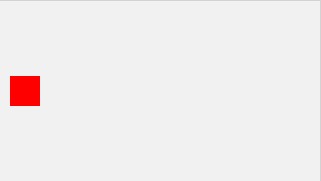
Za dodavanje komponenata igre, moramo napraviti konstruktor komponenata. Objekt konstruktora se zove component.
Komponente imaju svojstva I metode upravljanja njihovog izgleda i pokreta.
var myGamePiece;
function startGame() {
myGameArea.start();
myGamePiece = new component(30, 30, “red”, 10, 120);
}
function component(width, height, color, x, y) {
this.width = width;
this.height = height;
this.x = x;
this.y = y;
ctx = myGameArea.context;
ctx.fillStyle = color;
ctx.fillRect(this.x, this.y, this.width, this.height);
}
Da bismo igru pokrenuli, ažurirat ćemo prikaz 50 puta u sekundi (povećanjem ovog broja dobivamo bolju fluidnost prikaza ali gubimo na performansama).
Prvo ćemo stvoriti novu funkciju koja se zove updateGameArea().
U myGameAreaobjekt dodajte interval koji će pokretati updateGameArea() funkciju svake 20-e milisekunde (50 puta u sekundi). Također dodajmo funkciju koja zove clear(), koja briše cijeli canvas.
U component konstruktor dodajte funkciju koja se zove update() za rukovanje crtežom komponente.
updateGameArea() funkcija naziva clear() i na update() metode.
canvas : document.createElement(“canvas”),
start : function() {
this.canvas.width = 480;
this.canvas.height = 270;
this.context = this.canvas.getContext(“2d”);
document.body.insertBefore(this.canvas, document.body.childNodes[0]);
this.interval = setInterval(updateGameArea, 20);
},
clear : function() {
this.context.clearRect(0, 0, this.canvas.width, this.canvas.height);
}
}
function component(width, height, color, x, y) {
this.width = width;
this.height = height;
this.x = x;
this.y = y;
this.update = function(){
ctx = myGameArea.context;
ctx.fillStyle = color;
ctx.fillRect(this.x, this.y, this.width, this.height);
}
}
function updateGameArea() {
myGameArea.clear();
myGamePiece.update();
}
Da bismo dokazali da se crveni kvadrat crta 50 puta u sekundi, promijenit ćemo položaj x (vodoravno) za jedan piksel svaki put kada ažuriramo područje igre:
function updateGameArea() {
myGameArea.clear();
myGamePiece.x += 1;
myGamePiece.update();
}
Koristimo clear() metodu kako svi pokreti komponente nebi ostavili trag mjesta na kojem su bila smješteni u posljednjem frameu.
Koristimo x- i y-koordinate za pozicioniranje komponenata na područje igre.