
HTML igre
5. Dodavanje rezultata za igru
Prvo ćemo izraditi komponentu za računanje bodova:
var myGamePiece;
var myObstacles = [];
var myScore;
function startGame() {
myGamePiece = new component(30, 30, “red”, 10, 160);
myScore = new component(“30px”, “Consolas”, “black”, 280, 40, “text”);
myGameArea.start();
}
Sintaksa za pisanje teksta na elementu platna razlikuje se od crtanja pravokutnika. Stoga moramo pozvati konstruktor komponente pomoću dodatnog argumenta, govoreći konstruktoru da je ova komponenta tipa “text”.
U konstruktoru komponente testiramo je li komponenta tipa “text” i koristimo fillText metodu umjesto fillRectmetode.
Napokon u funkciju updateGameArea dodajemo kod koji zapisuje rezultat na platno. frameNo svojstvo koristimo za brojanje rezultata.
function updateGameArea() {
var x, height, gap, minHeight, maxHeight, minGap, maxGap;
for (i = 0; i < myObstacles.length; i += 1) {
if (myGamePiece.crashWith(myObstacles[i])) {
myGameArea.stop();
return;
}
}
myGameArea.clear();
myGameArea.frameNo += 1;
if (myGameArea.frameNo == 1 || everyinterval(150)) {
x = myGameArea.canvas.width;
minHeight = 20;
maxHeight = 200;
height = Math.floor(Math.random()*(maxHeight-minHeight+1)+minHeight);
minGap = 50;
maxGap = 200;
gap = Math.floor(Math.random()*(maxGap-minGap+1)+minGap);
myObstacles.push(new component(10, height, “green”, x, 0));
myObstacles.push(new component(10, x – height – gap, “green”, x, height + gap));
}
for (i = 0; i < myObstacles.length; i += 1) {
myObstacles[i].speedX = –1;
myObstacles[i].newPos();
myObstacles[i].update();
}
myScore.text = “SCORE: “ + myGameArea.frameNo;
myScore.update();
myGamePiece.newPos();
myGamePiece.update();
}
Primjer:
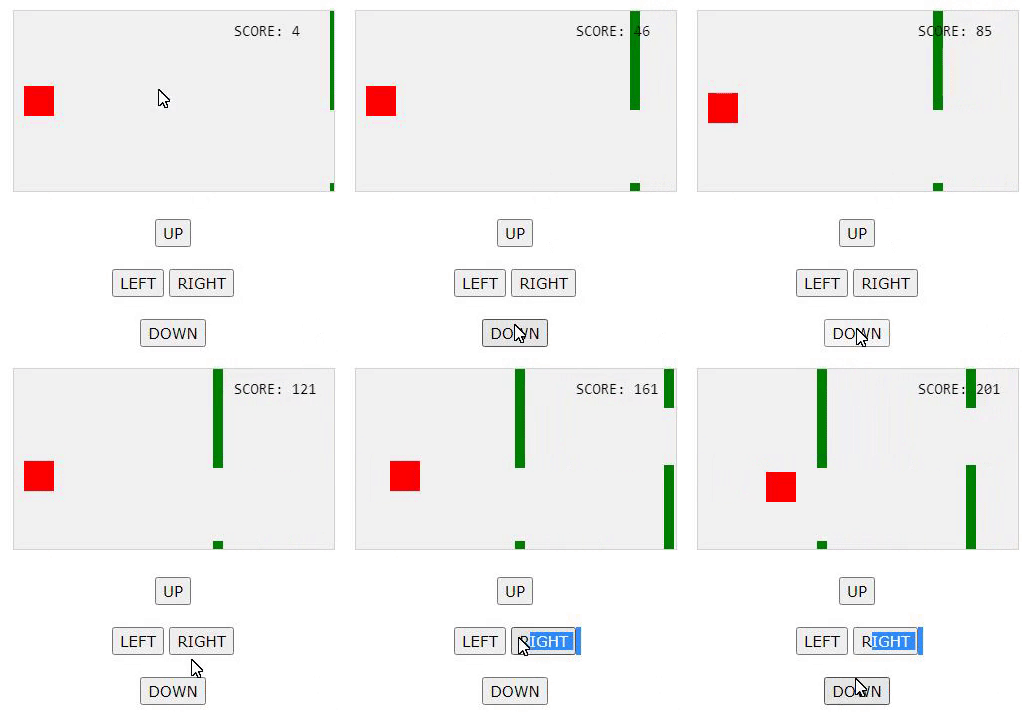
Kako bi se bodovi brojili dodali smo slijedeći kod u “updateGameArea” funkciju. Kod će biti pozvan svake nove nacrtane sličice te će ih frameNo brojati.
myGameArea.frameNo += 1; myScore.text = “SCORE: “ + myGameArea.frameNo; myScore.update();